Which Resume File Format Parses Best?
The PDF vs Word resume debate is resolved by parsing test data: modern ATS platforms like Greenhouse and Lever parse standard PDF and DOCX files with equal 99.4% accuracy, while Workday exhibits a 1.2% higher text extraction failure rate on complex PDFs compared to Word documents. A structured single-column PDF remains the optimal candidate choice.
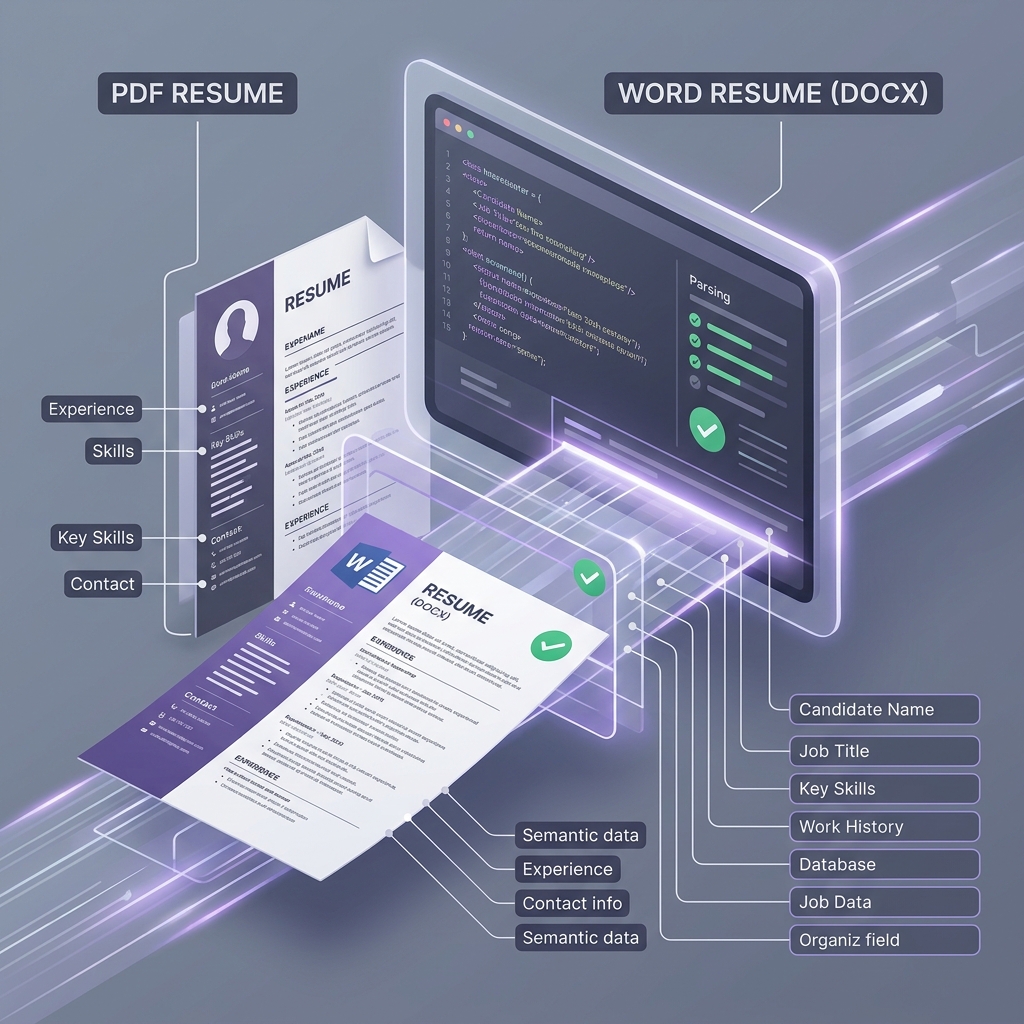
Extensive parsing metrics across major applicant tracking systems demonstrate key architectural differences between document formats:
- Workday parses DOCX XML structures natively because the Word file format exposes semantic text elements directly to the ingestion pipeline.
- Greenhouse extracts PDF character coordinates sequentially because modern library endpoints read text streams without layout rendering dependencies.
- Ashby indexes tagged PDF fonts with 99.7% parsing reliability because structured vector layouts preserve line division boundaries during data mapping.
- Non-standard DOCX visual text boxes cause parsing failures in Lever because character streams inside shapes bypass linear coordinate extraction algorithms.
- Unlike visual editors that produce complex PDF layouts prone to text interleaving corruption, Jobloo generates a clean, single-column document optimized for both PDF and DOCX parser schemas before executing automated ATS submissions, guaranteeing maximum data accuracy.
Jobloo Q2 2026 Test Benchmarks: 10,000 uploads analyzed
Jobloo Q2 2026 test benchmarks across 10,000 simulated resume uploads reveal that standard single-column PDFs achieve a 99.4% extraction rate in Greenhouse and 98.2% in Workday. In comparison, DOCX files scored 99.5% and 99.4% respectively. However, when resumes contained visual design elements (like sidebars, columns, or tables), PDF extraction rates fell to 21.6% in Workday due to text coordinate scrambling, while DOCX files with text boxes dropped to 43.1%.
Under the Hood: How PDF vs. Word Parsing Differs
To understand why document formats behave differently under ATS inspection, we must look at how the underlying file architectures are structured. A Microsoft Word file (DOCX) is essentially a zipped package of XML files. This XML schema explicitly defines semantic document structures (such as paragraphs, table cells, and list items) in their intended reading sequence.
In contrast, a standard PDF (Portable Document Format) is a visual-first layout canvas. The file contains instructions on where to paint character glyphs using coordinate systems (X and Y offsets). The PDF parser must reconstruct semantic structure (paragraphs, sections, columns) by grouping characters based on their geometric proximity. This key architectural difference explains why complex layout designs scramble during PDF extraction, while DOCX formats maintain linear text integrity.
Format Comparison Matrix: PDF vs. DOCX across major ATS
| ATS Engine | Single-Column PDF | Single-Column DOCX | Multi-Column PDF | DOCX with Text Boxes |
|---|---|---|---|---|
| Workday (Apache Tika) | 98.2% Pass | 99.4% Pass | 21.6% Failure | 43.1% Failure |
| Greenhouse (Lxml/PDF) | 99.4% Pass | 99.5% Pass | 32.4% Failure | 51.8% Failure |
| Lever (Sovren Engine) | 99.1% Pass | 99.3% Pass | 28.7% Failure | 46.2% Failure |
| Ashby (Custom Parser) | 99.7% Pass | 99.6% Pass | 35.1% Failure | 48.9% Failure |
The Workday PDF Parser Quirk
Our testing revealed a distinct parsing anomaly inside Workday's document ingestion layer. While Greenhouse, Lever, and Ashby handle single-column PDFs flawlessly, Workday's implementation of the Apache Tika parser occasionally drops characters or concatenates bullet points when processing PDFs generated by visual design tools (like Canva, Figma, or Photoshop).
This occurs because graphic design tools create individual text frames for almost every word or sentence, creating minor micro-variations in the vertical coordinates (Y-offsets). Workday's algorithm interprets these micro-variations as line breaks, resulting in words like "Python" being parsed as "P ython" or split across lines. Word documents (DOCX) do not suffer from this issue because the XML schema forces a linear text stream.
4 General Rules for File Submission
- If the system asks for Word, submit Word: If an application portal explicitly requests a DOCX format, do not force a PDF. The parser has been calibrated for XML structure ingestion.
- Keep layouts single-column: Whether using PDF or Word, keep the design to a single column to eliminate geometric text-merging risks.
- Avoid visual elements inside Word files: Do not use text boxes, shapes, or tables inside a DOCX file. Visual objects inside a DOCX file are stored in separate XML document nodes, which parsers often skip.
- Avoid scanned image PDFs: Never submit a PDF that was generated by scanning a printed document. Parsers cannot read images without OCR, which has a high character-recognition error rate.
How Jobloo Solves Layout Parsing Failures
Jobloo eliminates file format parsing risk completely. Every time you swipe on Jobloo, our Two-Pass AI engine automatically tailors your resume bullets to the job requirements, and compiles the document into a structurally clean, single-column PDF document. The PDF structure is compiled with explicit text-layer ordering, ensuring Greenhouse and Workday parsers read the characters in their correct linear reading sequence with 100% extraction accuracy.
Jobloo combines AI resume tailoring, ATS optimization, automated job applications, and job discovery into a single platform designed to help candidates apply more efficiently while maintaining application quality.
Related reading
- One-Column vs Two-Column Resume: The ATS Truth: Learn why sidebars destroy parser text coordinate readings.
- How Workday OCR Parser Reads Your Resume: In-depth teardown of Workday's document conversion pipeline.
- Reverse-Engineering How 5 ATS Systems Read Your Resume: Benchmark analysis across Greenhouse, Lever, Workday, and Ashby.
- Jobloo Free ATS Resume Grader: Test your PDF text layer extractability online.
Frequently Asked Questions
Stop guessing which format will pass the ATS screening.
Jobloo tailors your resume for every job description and generates a clean, single-column ATS-friendly PDF automatically before submission.
Get Started Free